Showing posts with label Money. Tips. Starting your own business .Three Build a website. Business Idea. Show all posts

Thursday, May 17, 2012

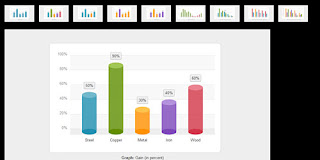
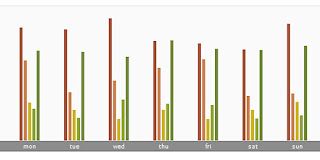
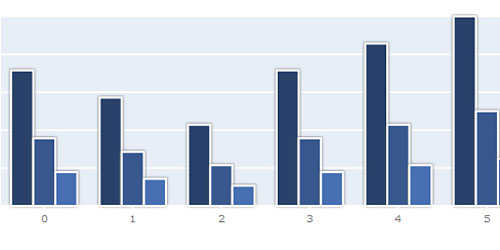
20 manual for creating graphs and charts with HTML5 and CSS3

Imagine the next thematic compilation of manuals HTML5 and CSS3, which is now devoted exclusively to visual graphs and charts. A visual representation of information, clearly, easily perceived by the viewer in terms of learning and perception. The graphs are different. This may be a form of color histogram bars for the values ​​on the scale of the coordinates. Or a pie chart with fields corresponding to the values ​​of variables. Or is it just a line graph and a spectacular animated effects. In general, the visual diversity of happy choice.

A. Pure Css Data Chart
Pure Css Data Chart

Two. CSS3 Charts
CSS3 Charts

Three. CSS3 Bar Graphs
CSS3 Bar Graphs

4. Pie Charts with CSS3
Pie Charts with CSS3

Five. Snazzy Animated Pie Chart
Snazzy Animated Pie Chart

6. CSS3 Graph Animation
CSS3 Graph Animation

7. CSS bar charts
CSS bar charts

Eight. Creating a graph
Creating a graph

9. Accessible Data Visualization
Accessible Data Visualization

10. Wicked CSS3 3d bar chart
Wicked CSS3 3d bar chart

11. Vertical Bar Graphs
Vertical Bar Graphs

12. Flexible bar graphs
Flexible bar graphs

13. CSS Stacked Bar Graphs
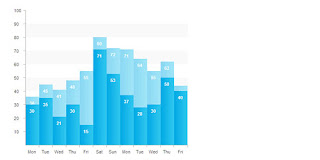
CSS Stacked Bar Graphs

14. CSS Vertical Bar Graphs
CSS Vertical Bar Graphs

15. Pie Charts with CSS3
Pie Charts with CSS3

16. Bar Graph
Bar Graph

17. Javascript Chart Plotting
Javascript Chart Plotting

18. Bar Chart
Bar Chart


19. Accessible bar chart

Accessible bar chart

20. CSS3 Charts example
 CSS3 Charts example
If you enjoyed this article and you have a twitter - share it with others
by clicking the "Retweet" ( ? ). Or just add the article to the social services.

Thursday, April 19, 2012

FACEBOOK INTRODUCED THE BUTTON "PLAY" IN THE PAGES OF MUSICIANS

FACEBOOK INTRODUCED THE BUTTON "PLAY" IN THE PAGES OF MUSICIANS

Facebook has become a convenient place for musicians who want to present to the world their creativity. The company has developed a new button - "Play» («Listen»), which will be located in a designated place for it in the pages of artists.

Button located under the cover photo-chronicle of Facebook, not far from the button «Like». The function is already working on the pages of such artists as Madonna, Lady Gaga, Rihanna, groups, ColdPlay, Red Hot Chillie Peppers, and others.

Facebook listen convenient place for musicians

Apparently, Facebook basically uses the power of service Spotify, which has long and successfully integrated with the social network, giving its users the opportunity to listen to music. But most likely, a service is not limited to Facebook and will offer you to listen to music on those services that you use most often. Thus, a new button "Sluasht" will become a truly great a favor such resources as Spotify or RDIO , which, however, already in full use of existing capacity Facebook.

As for appearance, then a new button "Play" will look and be placed on the musician page as follows:

Spotify, IN THE PAGES OF MUSICIANS

As soon as you hover your mouse over the button, you will be familiar with the fact that the functionality is required, for example, the power of service Spotify. And as soon as you click on the button, the pop-up window will prompt you to launch the appropriate application:

facebook music page

Spotify, fully integrated with Facebook - it's what dreams into nightmares employees of Apple. After all, the functionality, the resulting - it's not just another way to stay on Facebook, but also a completely new way of listening to music as such. And, incidentally, is exactly what many fans had once so loved MySpace.

Friday, April 13, 2012

How to attract more Twitter-readers of your blog

Today the social network Twitter is important for all of us, and it is high time to send the power of this resource for the prosperity of our blog. But all the power of Twitter is only available for those who have enough followers, and not just "next" for you, and specifically tracking your activity through the Twitter-account, reading all your messages sent using the Ribbon Twitter. Many services are ready to provide you with the base on Twitter in just a few bucks, and attach it to your account followers, from whom you are no good because they will never read your publication posted on the tape. What is the use of such purchase followers, performing a reverse transition to your site from page Twitter solely for the money, did not exhibit any activity in your Twitter-network, do not read your notes and familiarize them with their own followers by continuing to send messages? It is important to attract followers, waiting for the publication of your new articles and reading them.

attract more Twitter-readers

Boost the number of Twitter-followers, themselves following the others

Twitter-loyal followers of your blog, you can recruit, following the service for Twitter users in the same sector blogosphere as your resource. But Twitter users to follow and bring to the page of your blog's potential Twitter-followers to be targeted, that is, to choose those who will in return follow you, and not to press the mouse button at random. Trying to rake all without discrimination, you will not achieve high performance, and will settle for paltry number of followers, attached to your Twitter-account.

Do not rush to indulge in pursuit of the first got Twitter-user, first check the following:

*Interested in whether the user's thematic niche of your blog, if so, to follow him . Having followed the man, interested in some other topic, you can count on mutual courtesy on his part and to increase the number of Twitter-followers assigned to your account, but by and large it does not help you, because this man does not care about notes in your blog and your posts on the Ribbon Twitter. Today it makes no sense just to build traffic to your blog, it is much more valuable than your ability to attract targeted visitors. Address attract visitors increases your chances of ensuring your blog broader and more loyal audience, reading your notes as soon as they appear in the blog, and sends them to their own followers. *

Check the ratio of the user, compiled by the ratio of its activity as a follower of others, to the volume of activity of his own followers, before you follow him . This factor is important when selecting an object and follow the calculation of the likelihood of its repetition for you as a retaliatory step. Followed by the user, whose ratio is too small and not even close to unity, one can hardly expect a reply for you to follow with his hand, because he obviously craves attention to his own person, not wanting anyone to pay in return. So, first definitely check out these details. *

Also check how active the candidate uses his Twitter-account, and only then decide whether to follow him . If the activity of its Twitter-account is low, then expect a reply for you to follow this member is almost not necessary, because once he is inactive, you will need to wait until he returns to his account and decides to follow you, which reduces your chances of a reply adherence to almost zero. What good is to follow the user, who returns to the line that way a year to check the status of its Twitter-account, and you during this time will incur some losses, following these people and spending your stock units Twitter-follow.

If you manipulate the data of these three parameters, skillfully, it can be guaranteed to increase the number of Twitter-followers for your account, and the results will not be long in coming. These techniques are tested and effective, in addition, they will help you bring real and loyal followers. Start now, and Twitter-account of your blog is quite active Twitter-followers with a strong flow of traffic through Twitter, to boot.
Related Posts Plugin for WordPress, Blogger...